Free Blender add-on · GPL-3.0 · by ZeroGeometry
ZG Social Video Kit: free Blender add-on for vertical video
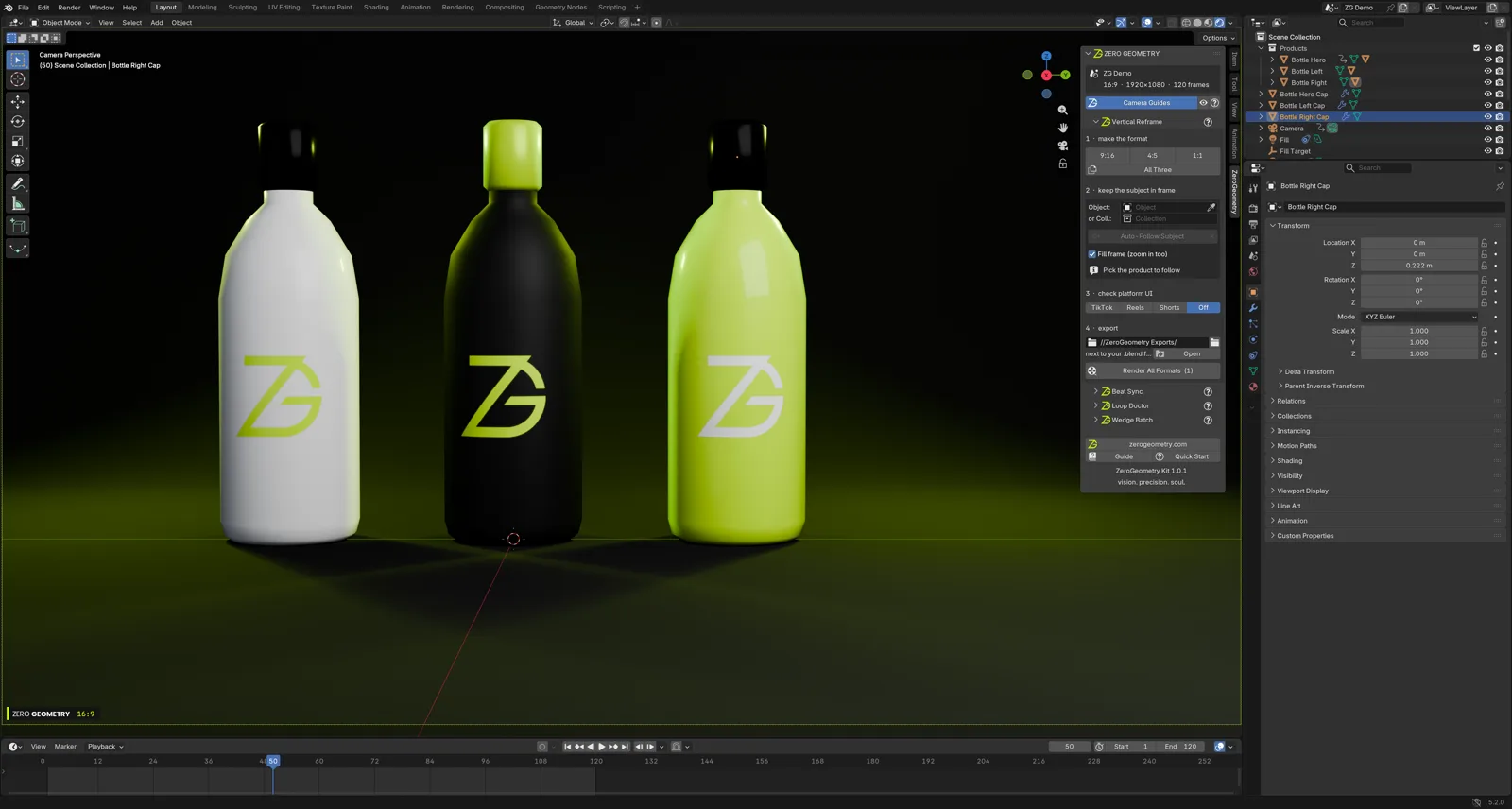
Make one 16:9 animation, then ship 9:16, 4:5 and 1:1 versions with your product always in frame.
What it does
Five tools for social video
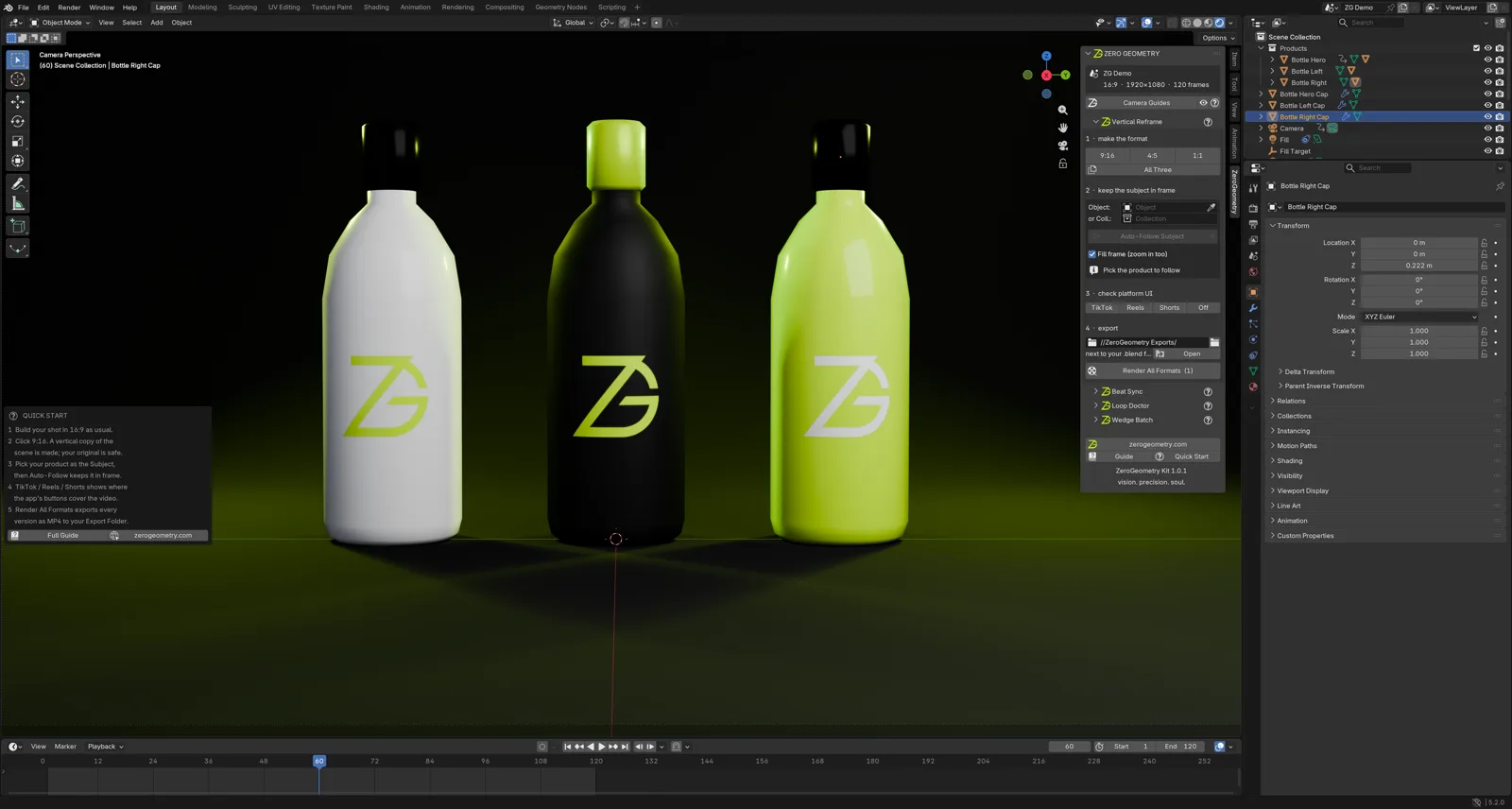
Everything runs locally inside Blender. No internet connection, no account and no external software. Open the 3D Viewport sidebar with N and you will find the panel under Social Video.
Vertical Reframe
One click makes a real reframed copy of your scene, with every camera lens re-fitted — animated zooms and beat-cut cameras included. It is always built from your original, so your 16:9 scene is never altered.
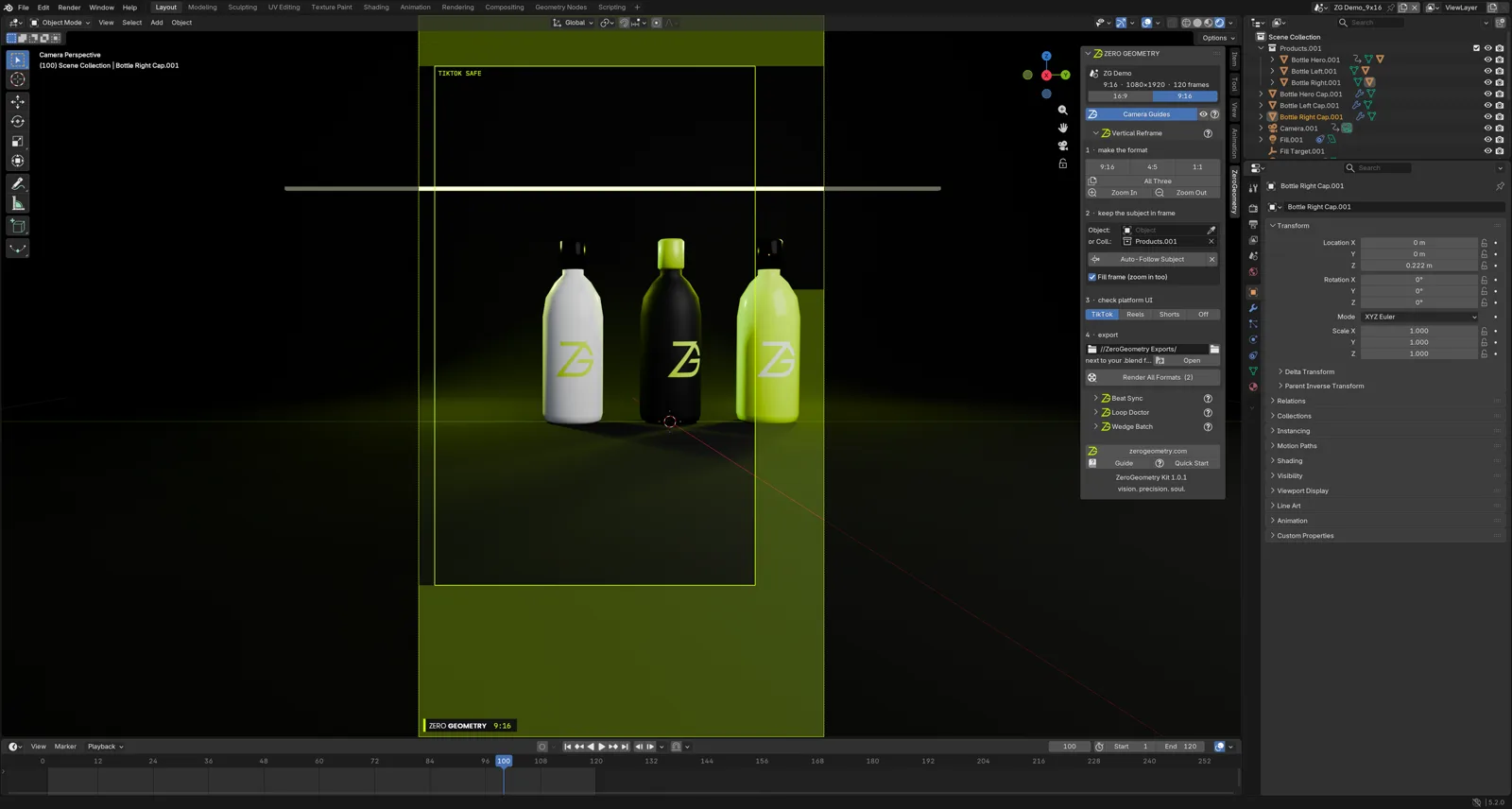
- 9:16, 4:5 and 1:1, or All Three at once. Clicking a format you already made just switches to it.
- Auto-Follow Subject keys lens shift and zoom on every frame so your product stays in frame. It never moves your camera, and re-running never stacks.
- Safe zones for TikTok, Instagram Reels and YouTube Shorts — together or one at a time — showing where buttons and captions will cover your video.
- Render All Formats exports the original and every version as H.264 MP4 with the scene's audio. Your own render settings are restored afterwards.
Camera Guides
Drawn in camera view only and never rendered: a format badge, the platform safe area, and a lime dot that pulses on every beat marker. The eye button jumps you straight to camera view.
Beat Sync
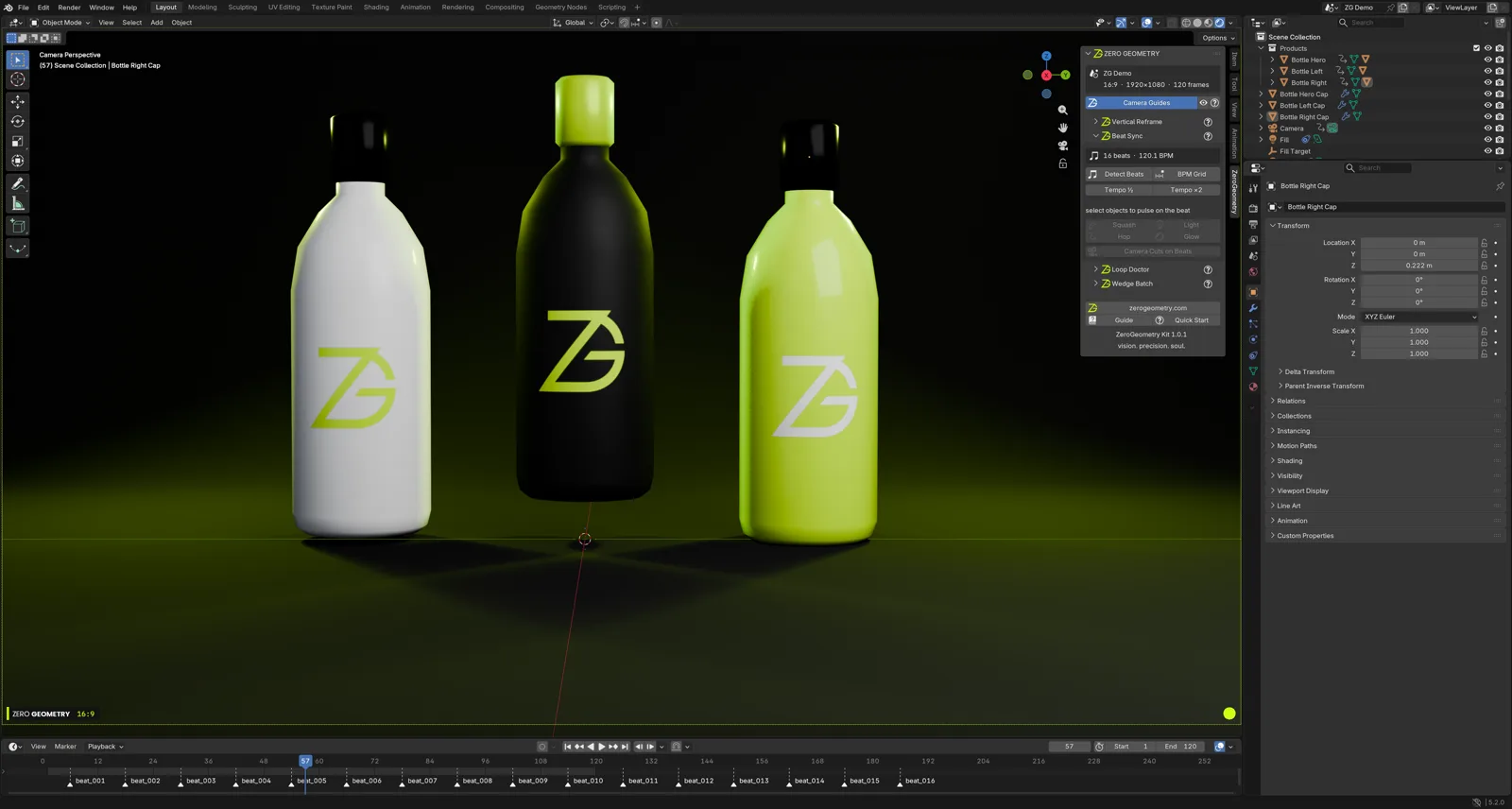
Point it at an audio file (mp3, wav, flac, ogg or m4a) and it finds the tempo and beat phase, drops a marker on every beat and adds the track as a sound strip. Re-running replaces the result rather than stacking it.
- BPM Grid if you already know the tempo, plus Tempo ½ and ×2.
- Squash, Hop, Light and Glow key a pulse on the selected objects every N beats, with amount, decay and stagger in the redo panel.
- Camera Cuts on Beats — select two or more cameras and it cuts between them on the beat.
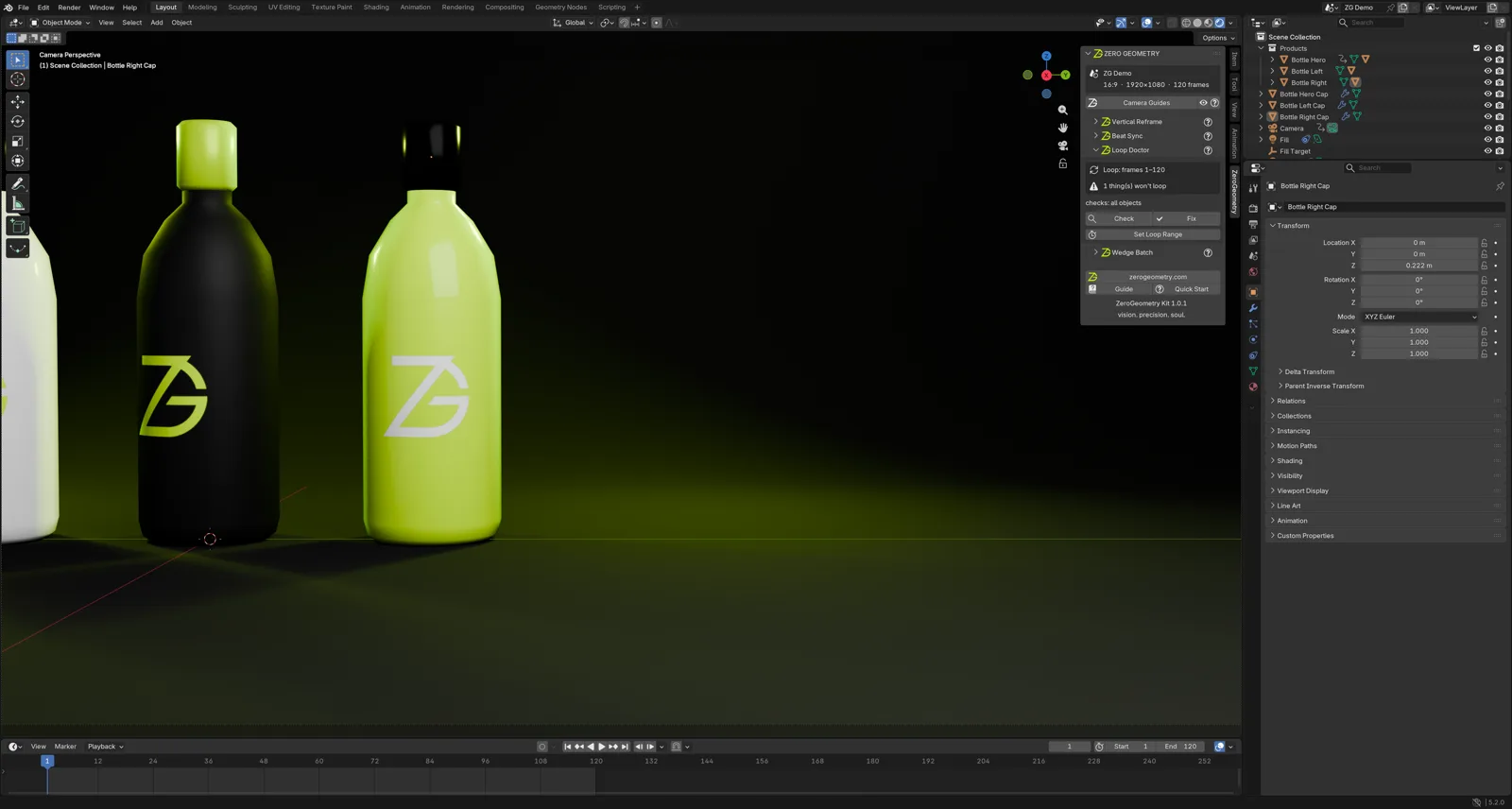
Loop Doctor
Check lists every animation curve that does not end where it started, and every video texture that will freeze. Fix closes them, or adds Cycles where that is the right answer. A full 360° spin counts as closed. It works on your selection, or on everything when nothing is selected.
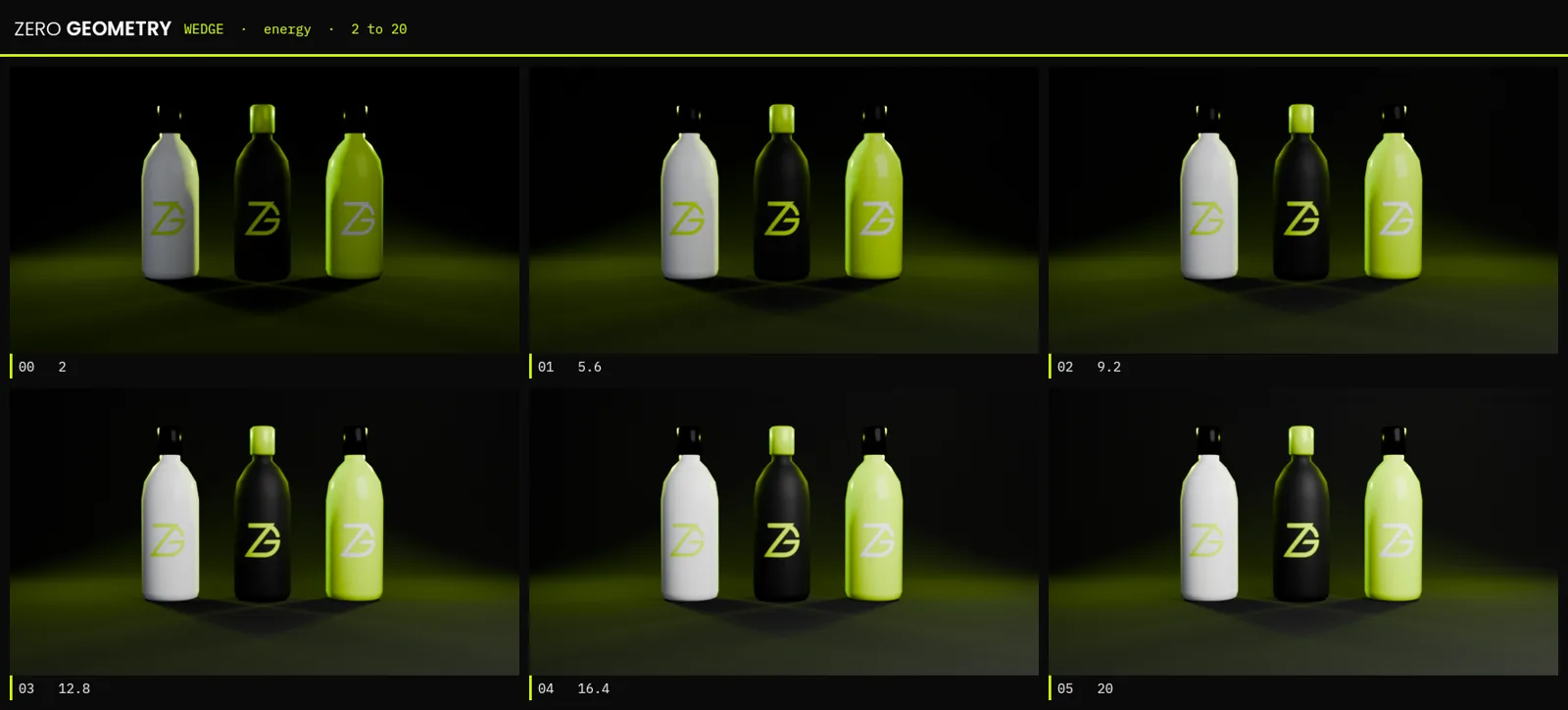
Wedge Batch
Houdini-style wedging. Copy any number field's data path, click Wedge Render — the path is pasted in for you — and get one still per value, plus a labelled contact sheet to compare them side by side.
Getting started
How to install
About a minute, either way.
Easiest: install from Blender Extensions
The add-on is published on Blender's own extensions platform. Drag and drop it straight into Blender from there, and you will get new versions automatically.
Or install the zip by hand:
-
Download the zip
Grab
zerogeometry_kit.zipusing the button above. Leave it zipped — Blender wants the archive, not a folder. -
Install it in Blender
In Blender 4.2 or newer:
Edit › Preferences › Get Extensions › ⌄ › Install from Disk, then pick the zip. -
Open the panel
In the 3D Viewport press
Nto show the sidebar, then choose the Social Video tab.
- Blender
- 4.2 or newer (tested on 5.2)
- Platforms
- Windows, macOS, Linux
- Price
- Free
- Licence
- GPL-3.0-or-later
Questions
FAQ
Does it change my original 16:9 scene?
No. Each format is built as a separate copy from your original, and the original is left as it is. Clicking a format you have already made simply switches you to it rather than building it again. Auto-Follow keys lens shift and zoom only — it never moves your camera — and the X button restores the original lens.
Which versions of Blender does it work with?
Blender 4.2 LTS or newer, tested on 5.2, on Windows, macOS and Linux. The simplest route is Blender's own extensions platform, where it can be dragged straight into Blender. You can also install the zip by hand with Edit › Preferences › Get Extensions › Install from Disk.
I know this as ZeroGeometry Kit — is it the same add-on?
Yes. It was renamed to ZG Social Video Kit in version 1.1.0, and the sidebar
tab changed from ZeroGeometry to Social Video at the same time. The download
is still named zerogeometry_kit.zip, and it is still made by
ZeroGeometry. If you installed an earlier version, the new one replaces it.
Does it need an internet connection or an account?
Neither. Everything runs locally inside Blender, with no account, no sign-in and no external software. The add-on only writes files to the export folder shown in the panel.
What does it render, and where do the files go?
Render All Formats exports the original and every version as H.264 MP4 with the
scene's audio, named Scene_9x16.mp4 and so on. Your own render settings are
restored afterwards. Files go to the Export Folder shown in the panel — by default
Social Video Exports/ next to your .blend, or Videos/Social Video Exports
if the file has not been saved yet. You can change it at any time.
Is it really free, and can I use it for client work?
Yes. It is free and open source under GPL-3.0-or-later, and the source is on GitHub. The licence covers the add-on's own code; the animations and videos you make with it are entirely yours.
Need a product animation or ad?
We built this for our own studio work. If you would rather we made the thing itself, that is what ZeroGeometry does.
Work with ZeroGeometry